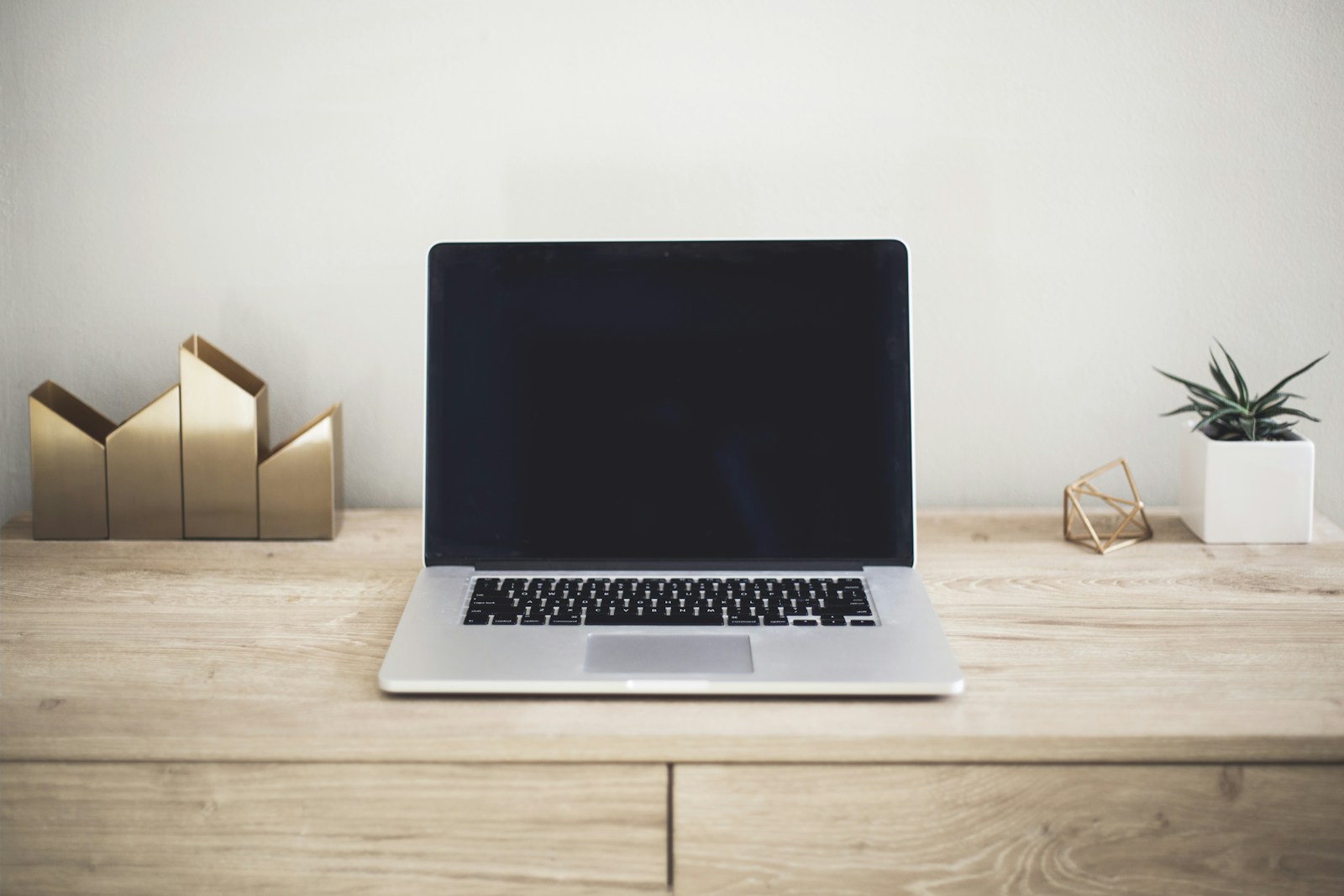
// scene.jsx — real laptop photo + real document photos (9s)

const sceneColors = {
  ink:    '#1a1815',
  muted:  '#8a8378',
  accent: 'oklch(62% 0.14 45)',
};

// Stage matches 16:9 but laptop photo is 3:2. We'll fill stage with photo.
const STAGE_W = 1600, STAGE_H = 900;

// The laptop photo (1600x1067) centered in the 1600x900 stage, cropped.
// We offset it so the laptop sits near the bottom-center of the stage.
const PHOTO_W = 1600;
const PHOTO_H = 1067;
const PHOTO_X = 0;           // left-aligned
const PHOTO_Y = -100;        // shift up so laptop base visible at bottom

// Measured screen rect in the 1600x1067 photo (flood-filled from center):
const SCR_L = 506, SCR_T = 286, SCR_R = 1086, SCR_B = 674;
const SCREEN_X = PHOTO_X + SCR_L;
const SCREEN_Y = PHOTO_Y + SCR_T;
const SCREEN_W = SCR_R - SCR_L;   // ~627
const SCREEN_H = SCR_B - SCR_T;   // ~260

const SLOT_X = SCREEN_X + SCREEN_W / 2;
const SLOT_Y = SCREEN_Y + SCREEN_H / 2;

// ─── Real document photos ─────────────────────────────────────────────────
const DOC_IMAGES = [
  'https://images.unsplash.com/photo-1586281380349-632531db7ed4?w=500&auto=format&fit=crop&q=80',
  'https://images.unsplash.com/photo-1554224155-8d04cb21cd6c?w=500&auto=format&fit=crop&q=80',
  'https://images.unsplash.com/photo-1455390582262-044cdead277a?w=500&auto=format&fit=crop&q=80',
  'https://images.unsplash.com/photo-1450101499163-c8848c66ca85?w=500&auto=format&fit=crop&q=80',
  'https://images.unsplash.com/photo-1568667256549-094345857637?w=500&auto=format&fit=crop&q=80',
  'https://images.unsplash.com/photo-1460925895917-afdab827c52f?w=500&auto=format&fit=crop&q=80',
  'https://images.unsplash.com/photo-1516979187457-637abb4f9353?w=500&auto=format&fit=crop&q=80',
  'https://images.unsplash.com/photo-1586941962765-d3896cc85ac8?w=500&auto=format&fit=crop&q=80',
];

const DOCS = [
  { id: 0, startX:  180, startY: -280, rot: -20, launch: 0.3, land: 1.7, img: 0 },
  { id: 1, startX: 1420, startY: -320, rot:  24, launch: 0.8, land: 2.3, img: 1 },
  { id: 2, startX:  440, startY: -300, rot: -12, launch: 1.5, land: 3.1, img: 2 },
  { id: 3, startX: 1180, startY: -340, rot:  16, launch: 2.2, land: 3.9, img: 3 },
  { id: 4, startX:  260, startY: -280, rot: -24, launch: 2.9, land: 4.7, img: 4 },
  { id: 5, startX: 1380, startY: -300, rot:  20, launch: 3.6, land: 5.5, img: 5 },
  { id: 6, startX:  540, startY: -320, rot:  -8, launch: 4.3, land: 6.2, img: 6 },
  { id: 7, startX: 1100, startY: -280, rot:  28, launch: 5.0, land: 7.0, img: 7 },
];

// ─── Laptop photo + UI overlay on screen ───────────────────────────────────
function Laptop() {
  const t = useTime();
  const lit = clamp(t / 0.6, 0, 1);
  const landed = DOCS.filter(d => t >= d.land).length;
  const pct = landed / DOCS.length;

  let pulse = 0;
  DOCS.forEach(d => {
    const dt = t - d.land;
    if (dt >= 0 && dt < 0.55) pulse = Math.max(pulse, (1 - dt / 0.55));
  });

  const done = t >= 8.2;

  return (
    <div style={{ position: 'absolute', inset: 0 }}>
      {/* laptop photo */}
      <img
        src="assets/laptop.jpg"
        alt=""
        style={{
          position: 'absolute',
          left: PHOTO_X, top: PHOTO_Y,
          width: PHOTO_W, height: PHOTO_H,
          pointerEvents: 'none',
          userSelect: 'none',
        }}
      />

      {/* screen UI composited over the photo's screen area */}
      <div style={{
        position: 'absolute',
        left: SCREEN_X, top: SCREEN_Y,
        width: SCREEN_W, height: SCREEN_H,
        overflow: 'hidden',
        borderRadius: 2,
        opacity: lit,
        boxShadow: `
          0 0 ${20 + pulse * 40}px rgba(242,168,73,${pulse * 0.4})
        `,
      }}>
        <ScreenUI pct={pct} landed={landed} pulse={pulse} done={done} t={t}/>
      </div>

      {/* subtle light bloom from screen */}
      <div style={{
        position: 'absolute',
        left: SCREEN_X - 80, top: SCREEN_Y - 40,
        width: SCREEN_W + 160, height: SCREEN_H + 120,
        background: `radial-gradient(ellipse at center, rgba(242,168,73,${0.12 + pulse * 0.25}) 0%, transparent 60%)`,
        pointerEvents: 'none',
        mixBlendMode: 'screen',
        opacity: lit,
      }}/>
    </div>
  );
}

// ─── Screen UI ─────────────────────────────────────────────────────────────
function ScreenUI({ pct, landed, pulse, done, t }) {
  return (
    <div style={{
      position: 'absolute', inset: 0,
      fontFamily: 'Inter, system-ui, sans-serif',
      color: '#e8e4d8',
      background: `radial-gradient(ellipse at 50% 50%, #1a1614 0%, #0a0809 100%)`,
      boxShadow: `inset 0 0 ${40 + pulse * 80}px rgba(242,168,73,${0.1 + pulse * 0.4})`,
    }}>
      {/* grid */}
      <div style={{
        position: 'absolute', inset: 0,
        backgroundImage: `
          linear-gradient(rgba(242,168,73,0.05) 1px, transparent 1px),
          linear-gradient(90deg, rgba(242,168,73,0.05) 1px, transparent 1px)
        `,
        backgroundSize: '24px 24px',
        opacity: 0.7,
      }}/>

      {/* status bar */}
      <div style={{
        position: 'absolute', top: 10, left: 16, right: 16,
        display: 'flex', alignItems: 'center', justifyContent: 'space-between',
        fontSize: 10, letterSpacing: '0.12em', textTransform: 'uppercase',
        color: '#8a8378',
      }}>
        <div style={{ display: 'flex', alignItems: 'center', gap: 6 }}>
          <div style={{
            width: 6, height: 6, borderRadius: 3,
            background: done ? 'oklch(70% 0.15 145)' : '#f2a849',
            boxShadow: `0 0 8px ${done ? 'oklch(70% 0.15 145)' : '#f2a849'}`,
          }}/>
          <span>{done ? 'complete' : 'ingesting'}</span>
        </div>
        <div style={{
          fontFamily: 'JetBrains Mono, ui-monospace, monospace',
          color: '#d4ccbb',
        }}>
          {String(landed).padStart(2, '0')} / {String(DOCS.length).padStart(2, '0')}
        </div>
      </div>

      {/* center percent */}
      <div style={{
        position: 'absolute',
        left: '50%', top: '48%',
        transform: 'translate(-50%, -50%)',
        textAlign: 'center',
      }}>
        <div style={{
          fontFamily: 'JetBrains Mono, ui-monospace, monospace',
          fontSize: 42,
          fontWeight: 500,
          color: done ? '#ffffff' : '#f2a849',
          letterSpacing: '-0.03em',
          textShadow: `0 0 ${18 + pulse * 30}px rgba(242,168,73,${0.45 + pulse * 0.5})`,
          fontVariantNumeric: 'tabular-nums',
          lineHeight: 1,
        }}>
          {done ? 'ready' : `${Math.round(pct * 100)}%`}
        </div>
        <div style={{
          marginTop: 6,
          fontSize: 9,
          color: '#8a8378',
          letterSpacing: '0.2em',
          textTransform: 'uppercase',
        }}>
          {done ? 'documents indexed' : 'processing'}
        </div>
      </div>

      {/* progress bar */}
      <div style={{
        position: 'absolute',
        left: 20, right: 20, bottom: 36,
        height: 2,
        background: 'rgba(255,255,255,0.08)',
        borderRadius: 2,
        overflow: 'hidden',
      }}>
        <div style={{
          height: '100%',
          width: `${pct * 100}%`,
          background: done ? 'oklch(70% 0.15 145)' : 'linear-gradient(90deg, #f2a849, #f7c978)',
          boxShadow: `0 0 10px ${done ? 'oklch(70% 0.15 145)' : '#f2a849'}`,
          transition: 'width 0.3s ease-out',
        }}/>
      </div>

      {/* chips */}
      <div style={{
        position: 'absolute',
        left: 20, right: 20, bottom: 16,
        display: 'flex', gap: 3,
      }}>
        {DOCS.map((d, i) => {
          const on = t >= d.land;
          const just = t >= d.land && t < d.land + 0.4;
          return (
            <div key={i} style={{
              flex: 1, height: 3,
              borderRadius: 2,
              background: on
                ? (just ? '#f2a849' : 'rgba(242,168,73,0.6)')
                : 'rgba(255,255,255,0.06)',
              boxShadow: just ? '0 0 8px #f2a849' : 'none',
            }}/>
          );
        })}
      </div>

      {/* scan */}
      <div style={{
        position: 'absolute',
        left: 0, right: 0,
        top: `${((t * 30) % 110) - 5}%`,
        height: 20,
        background: 'linear-gradient(180deg, transparent, rgba(242,168,73,0.09), transparent)',
        pointerEvents: 'none',
      }}/>
    </div>
  );
}

// ─── Document sprite ──────────────────────────────────────────────────────
function Document({ doc }) {
  const t = useTime();
  const { startX, startY, rot, launch, land, img } = doc;
  if (t < launch) return null;
  if (t > land + 0.12) return null;

  const lc = clamp((t - launch) / (land - launch), 0, 1);
  const posEase = Easing.easeInCubic(lc);
  const x = startX + (SLOT_X - startX) * posEase;
  const y = startY + (SLOT_Y - startY) * posEase;

  const scale = interpolate([0, 0.5, 0.9, 1], [1, 0.78, 0.22, 0.05], Easing.easeInCubic)(lc);
  const rotY = interpolate([0, 0.7, 1], [0, 10, 65])(lc);
  const rotX = interpolate([0, 0.7, 1], [5, 15, -40])(lc);
  const rotZ = rot * (1 - Easing.easeInQuad(lc));
  const opacity = t > land ? 0 : interpolate([0, 0.85, 1], [1, 1, 0])(lc);

  const W = 200, H = 260;
  const blur = lc > 0.3 ? (lc - 0.3) * (lc - 0.3) * 6 : 0;

  return (
    <div style={{
      position: 'absolute',
      left: x - W/2, top: y - H/2,
      width: W, height: H,
      perspective: 1000,
      opacity,
      willChange: 'transform, opacity',
      filter: `drop-shadow(0 ${18 * (1 - lc)}px ${28 * (1 - lc)}px rgba(20,15,10,${0.3 * (1 - lc)})) blur(${blur}px)`,
    }}>
      <div style={{
        width: '100%', height: '100%',
        transform: `rotateZ(${rotZ}deg) rotateX(${rotX}deg) rotateY(${rotY}deg) scale(${scale})`,
        transformStyle: 'preserve-3d',
        transformOrigin: 'center',
      }}>
        <div style={{
          width: '100%', height: '100%',
          background: '#ffffff',
          borderRadius: 4,
          overflow: 'hidden',
          boxShadow: '0 0 0 1px rgba(0,0,0,0.06)',
          position: 'relative',
        }}>
          <img
            src={DOC_IMAGES[img]}
            alt=""
            style={{
              width: '100%', height: '100%',
              objectFit: 'cover',
              display: 'block',
            }}
          />
          <div style={{
            position: 'absolute', inset: 0,
            background: 'linear-gradient(135deg, rgba(255,255,255,0.12) 0%, transparent 40%, transparent 60%, rgba(0,0,0,0.08) 100%)',
            pointerEvents: 'none',
          }}/>
        </div>
      </div>
    </div>
  );
}

// ─── Landing burst ────────────────────────────────────────────────────────
function LandingBurst({ doc }) {
  const t = useTime();
  const dt = t - doc.land;
  if (dt < 0 || dt > 0.7) return null;
  const p = dt / 0.7;
  return (
    <div style={{
      position: 'absolute',
      left: SLOT_X, top: SLOT_Y,
      pointerEvents: 'none',
      mixBlendMode: 'screen',
    }}>
      {[0, 1, 2].map(i => {
        const rp = clamp(p - i * 0.12, 0, 1);
        if (rp <= 0) return null;
        const size = 20 + rp * 160;
        return (
          <div key={i} style={{
            position: 'absolute',
            left: -size/2, top: -size/2,
            width: size, height: size,
            borderRadius: '50%',
            border: '1.5px solid rgba(242,168,73,0.8)',
            opacity: (1 - rp) * 0.6,
          }}/>
        );
      })}
      <div style={{
        position: 'absolute',
        left: -50, top: -50,
        width: 100, height: 100,
        borderRadius: '50%',
        background: 'radial-gradient(circle, rgba(255,220,160,0.8), transparent 60%)',
        opacity: (1 - p) * 0.7,
        filter: 'blur(3px)',
      }}/>
    </div>
  );
}

// ─── Motion trail ──────────────────────────────────────────────────────────
function Trail({ doc }) {
  const t = useTime();
  const { startX, startY, launch, land } = doc;
  if (t < launch || t > land) return null;
  const lc = clamp((t - launch) / (land - launch), 0, 1);
  if (lc < 0.2) return null;

  const posEase = Easing.easeInCubic(lc);
  const x = startX + (SLOT_X - startX) * posEase;
  const y = startY + (SLOT_Y - startY) * posEase;
  const dx = SLOT_X - startX;
  const dy = SLOT_Y - startY;
  const angle = Math.atan2(dy, dx) * 180 / Math.PI;
  const len = 80 * lc;

  return (
    <div style={{
      position: 'absolute',
      left: x, top: y,
      width: len, height: 2,
      transform: `translate(-100%, -50%) rotate(${angle}deg)`,
      transformOrigin: '100% 50%',
      background: 'linear-gradient(90deg, transparent, rgba(242,168,73,0.4))',
      opacity: 0.5 * lc,
      pointerEvents: 'none',
      filter: 'blur(1px)',
    }}/>
  );
}

// ─── Caption ───────────────────────────────────────────────────────────────
function Caption() {
  const t = useTime();
  const opacity = interpolate(
    [0, 0.6, 7.6, 8.4],
    [0, 1, 1, 0],
    Easing.easeInOutCubic
  )(t);

  const landedCount = DOCS.filter(d => t >= d.land).length;

  return (
    <div style={{
      position: 'absolute',
      left: 60, top: 60,
      opacity,
      fontFamily: 'Inter, system-ui, sans-serif',
      maxWidth: 420,
    }}>
      <div style={{
        fontFamily: 'JetBrains Mono, ui-monospace, monospace',
        fontSize: 11,
        letterSpacing: '0.22em',
        color: '#6b6458',
        marginBottom: 12,
        textTransform: 'uppercase',
        background: 'rgba(255,255,255,0.6)',
        backdropFilter: 'blur(4px)',
        padding: '4px 8px',
        display: 'inline-block',
        borderRadius: 2,
      }}>
        {String(landedCount).padStart(2, '0')} · {t < 7.4 ? 'feeding documents' : 'indexed'}
      </div>
      <div style={{
        fontSize: 56,
        fontWeight: 500,
        color: sceneColors.ink,
        letterSpacing: '-0.035em',
        lineHeight: 0.98,
        textShadow: '0 2px 12px rgba(255,255,255,0.4)',
      }}>
        {t < 7.4 ? (
          <>
            <span>documents</span>
            <br/>
            <span style={{ color: sceneColors.accent }}>in</span>
            <span>, knowledge</span>
            <br/>
            <span>out.</span>
          </>
        ) : (
          <span>all set.</span>
        )}
      </div>
    </div>
  );
}

// ─── Scene root ────────────────────────────────────────────────────────────
function Scene() {
  return (
    <div style={{ position: 'absolute', inset: 0, overflow: 'hidden' }}>
      <Caption />
      <Laptop />
      {DOCS.map(d => <Trail key={'t'+d.id} doc={d} />)}
      {DOCS.map(d => <Document key={d.id} doc={d} />)}
      {DOCS.map(d => <LandingBurst key={'b'+d.id} doc={d} />)}
    </div>
  );
}

Object.assign(window, { Scene });